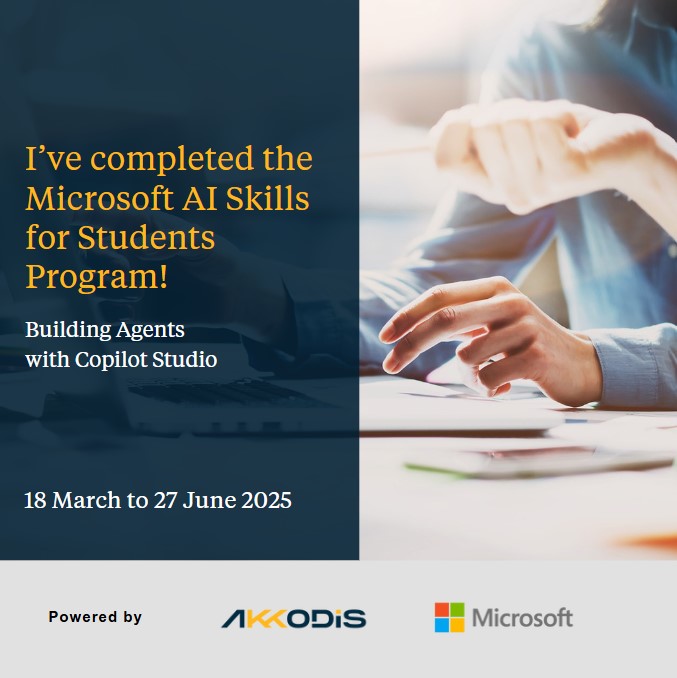
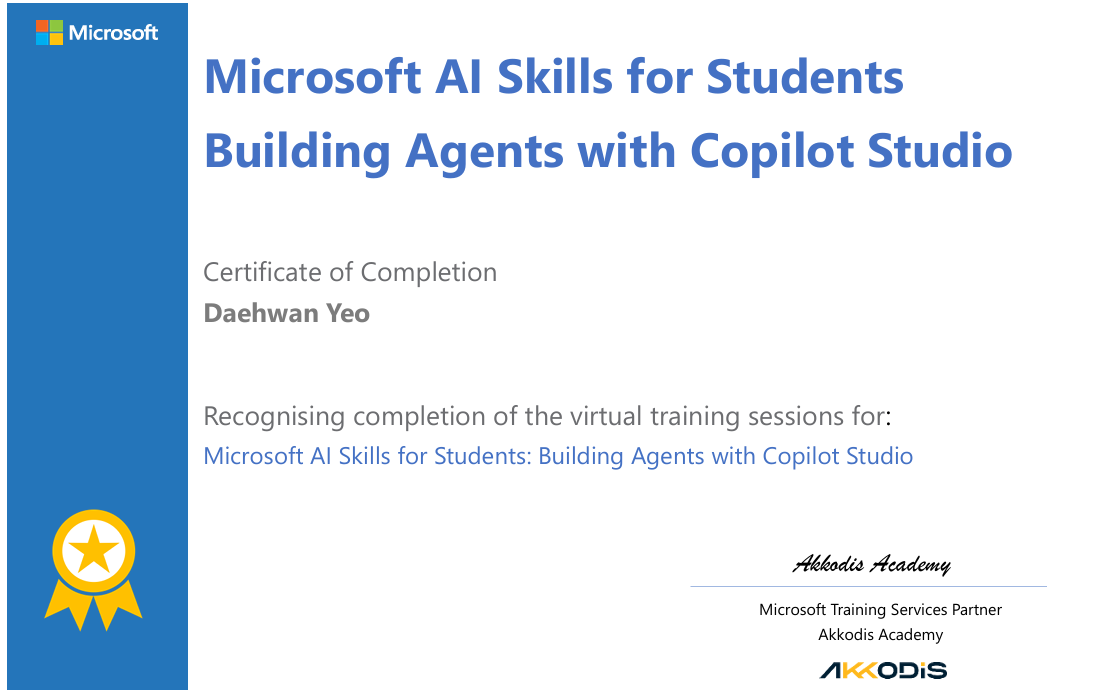
Completion of Microsoft AI Skills for students program
A short reflection of Completion of Microsoft AI Skills for Students program.
What I Learned
During the program, I gained hands-on experience with:
-
Conversational AI
I learned how modern chatbots work as conversational experiences powered by trained Natural Language Understanding (NLU) models. These are typically text-based systems that can query data through APIs or use techniques like grounding for more accurate answers. -
Agents and Their Evolution
We explored how chatbots have evolved into agents, conversational assistants that use large language models and generative AI. These agents can automate tasks and help users in their daily work, often requiring little to no programming experience. - Copilot Studio Topics
In Copilot Studio, topics define dialog flows that shape how the agent interacts with users.- Custom Entities: These are categorized pieces of data that help agents understand and extract specific information from user input.
- Live Demos
The live session included a practical demo of building agents in Copilot Studio. I had access to a bootcamp test account, which allowed me to experiment with creating my own agent and try out different conversational flows.
My Project: Simple GetNews Flow
Although my test account didn’t allow me to fully integrate Power Automate solutions with Copilot Studio, I built a simple GetNews flow in Power Automate to demonstrate how an agent can fetch and summarize information automatically.
Choose a Source API
I decided to use NewsAPI because it’s free for testing purposes. I created an account and generated my own API key.
Set Up a Power Automate Flow
Microsoft Copilot Studio works seamlessly with Power Automate to fetch and process data from external sources. I created a flow that connects to NewsAPI and returns data for the agent.
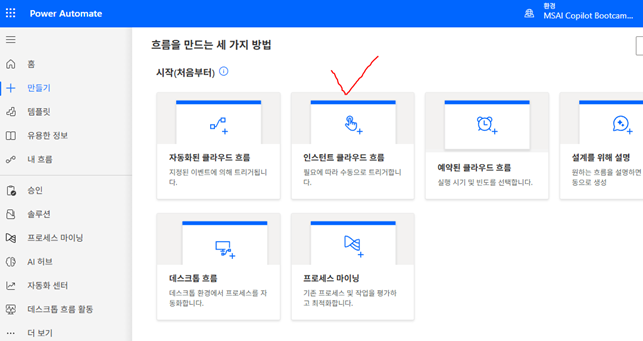
- Click Create and select Instant cloud flow.
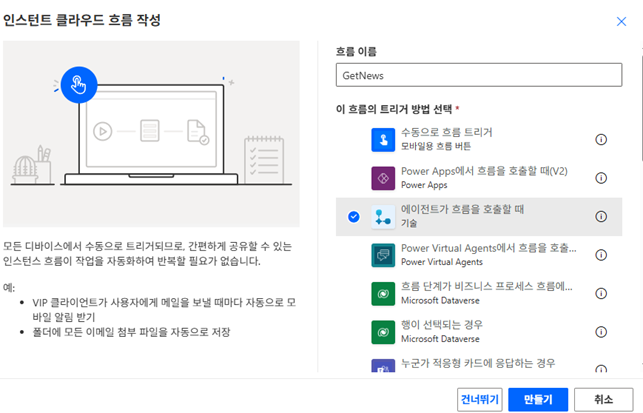
- For the trigger, choose When Power Automate is called by Copilot Studio.
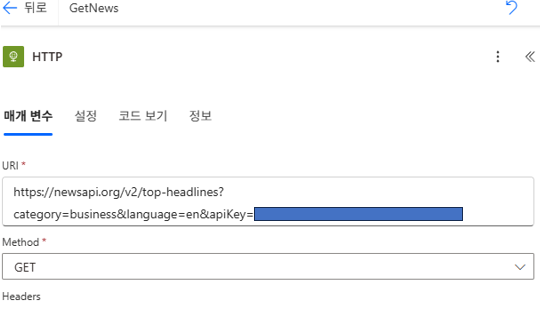
- Use an HTTP GET action to connect to the NewsAPI endpoint, with the API key generated before.
-
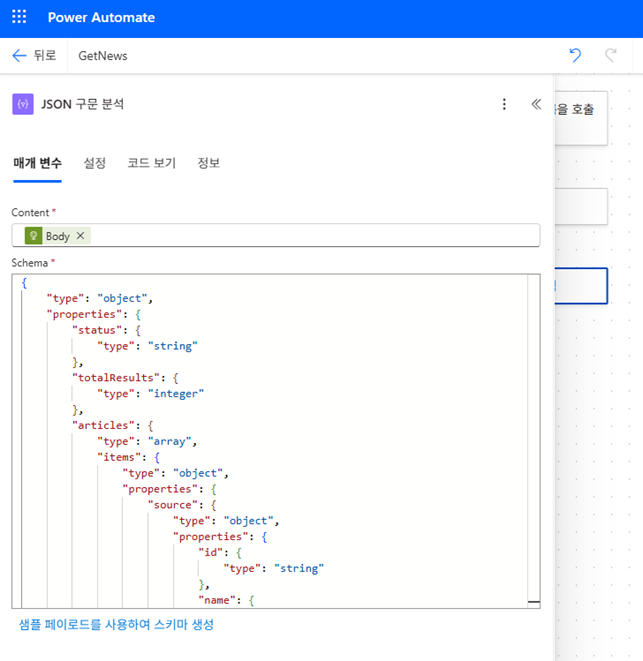
Add a Parse JSON step to extract specific fields (like headlines, descriptions, or URLs) from the API response.
-
Use Append to String Variable to format the output text that the agent will display.
-
Add Return value(s) to Power Virtual Agents, so the agent can display the news summary.
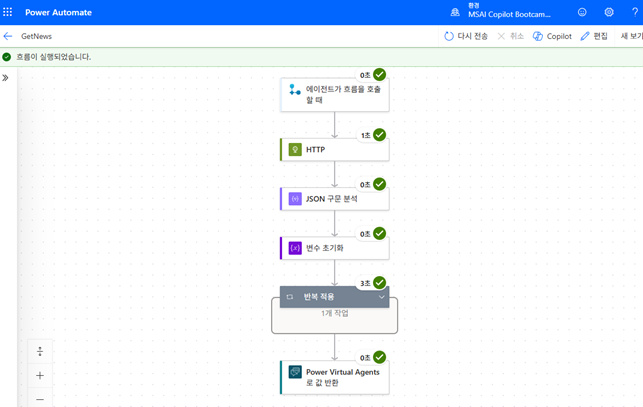
After completion, we can proceed with testing.
This setup shows how you can connect external APIs to Copilot Studio using Power Automate, without writing complex code!
Reflection
This was such a rewarding experience outside of my university coursework. The biggest takeaway is that building agents and automating tasks doesn’t always require advanced coding skills. With tools like Copilot Studio, we can build powerful solutions using natural language prompts, drag-and-drop actions, and prebuilt components.
I’m now inspired to create more advanced agents in the future. For example, I’d love to build an agent that automatically summarizes the latest economic news and presents me with key points whenever I start my day. That kind of practical automation would be an awesome productivity boost.
Thanks for reading!😊
Leave a comment